Page 1 of 1
What am I doing wrong with SD memory cards to run in my RS4?
Posted: Sun Dec 17, 2006 1:47 pm
by oilman4345
Having bought 2 x 4GB SD memory cards, then got a reader which was compatable with their large size to format them, I am STILL having problems with them.
I now have one card which has about 10 albums in individual sub folders which works ( although car states that it is a 392 megabyte card).
However, the other card, I have formatted and added individual tracks (about 30 or so) and the RS4 does not recognise the card is there.
Any help gratefully received!!
RE: What am I doing wrong with SD memory cards to run in my
Posted: Sun Dec 17, 2006 7:25 pm
by PetrolDave
Don't worry about it saying it's 392 MB card - in the famous phrase, "they all do that sir".
I use 4GB SD cards without any problems, so there's nothing fundamentally wrong with what you're trying to do.
The RNS-E can only cope with pathnames (i.e. folder + filename) that are shorter than 64 characters (cast your mind back to DOS days), and is "fussier" about legal characters in filenames, so characters like ! are not allowed.
RE: What am I doing wrong with SD memory cards to run in my
Posted: Mon Dec 18, 2006 9:59 am
by gw007
I have a couple of 4Gb SD cards and they worked first time, just put the music on in their folders, created some .m3u (I think) playlists and off it goes... I havent used the CD changer for about 5 months now

I take it you have tried both cards in both slots on the RNS-E?
RE: What am I doing wrong with SD memory cards to run in my
Posted: Mon Dec 18, 2006 1:19 pm
by mjh123
Maybe you've done this, but format the card and download all the tracks at the same time. I've had issues with downloading tracks individually in the past. Sometimes it's worked and other times not. When I've done a format and download in one go, the RNS-E has read the cards without problem.
Re: RE: What am I doing wrong with SD memory cards to run in
Posted: Mon Dec 18, 2006 4:22 pm
by oilman4345
gw007 wrote:I have a couple of 4Gb SD cards and they worked first time, just put the music on in their folders, created some .m3u (I think) playlists and off it goes... I havent used the CD changer for about 5 months now
I take it you have tried both cards in both slots on the RNS-E?
Yes I have tried both cards. One plays in both: The other in neither.
One point is the .m3u to which you refer. I do not know how to get my files in this format.
Mine are on my hard drive , as mp3 format in folders by artist.!
RE: Re: RE: What am I doing wrong with SD memory cards to ru
Posted: Mon Dec 18, 2006 4:34 pm
by gw007
Hmmm, seems a bit strange if one will work and the other wont... I didnt have any problems with mine and I was actually surprised to find it worked first time.
The .m3u is just a playlist format that the RNS-E uses, you can download plenty of free apps to create playlists in .m3u
I have an .m3u playlist for each CD on the SD card, the RNS-E then just displays each CD in the list and plays it.
RE: Re: RE: What am I doing wrong with SD memory cards to ru
Posted: Mon Dec 18, 2006 5:37 pm
by LegalEagle
Not wishing to hijack thread but I have put 10 albums on the card, each in their own folder (and all in MP3) but RNS only "sees" the first album and there doesn't appear to be an option to switch to another folder. Any ideas? Do I need the M3u software too?
Posted: Mon Dec 18, 2006 5:48 pm
by binder
I found I could only access the folders (albums) if there was at least one MP3 track on the root folder. Otherwise it did not seem to identify that the card was holding MP3 tracks
Posted: Fri Jan 26, 2007 8:59 pm
by Contigo
got a 2GB card and put some albums on in different folder.
For some reason it recognises three of the six and none of the others. Nowhere near the 512 limit so any ideas?
Posted: Fri Jan 26, 2007 9:45 pm
by Daz
Any unusual characters in the folder or file names?
Posted: Fri Jan 26, 2007 9:51 pm
by Contigo
Only _ and spaces. I've been through and edited them.
It's weird I see three albums listed and then the card 2 slot empty.
If I then hit the source then MP3 again it goes down to a Various folder and I can play the contents of that folder but that does not appear on the main root.
There's something really strange going on.
I wonder if the ID3 tag has anything to do with it as the Windows folder name means nothing really.
Posted: Sat Jan 27, 2007 12:42 am
by RS4_B7
hello!
i don't have any idea about the RNS-E which you are talking about and i don't know how it looks

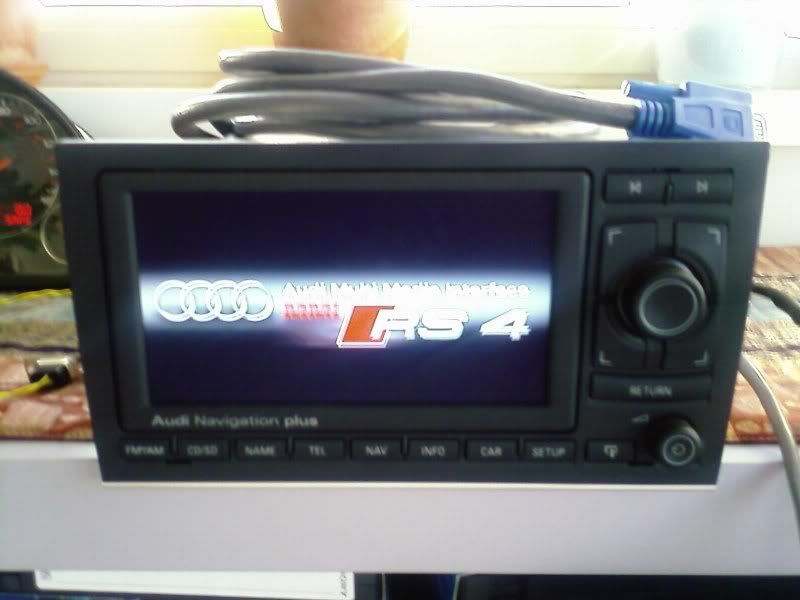
im using only CD changer and Ipod , can i fix these RNS-E on my RS4 ??!

Posted: Thu Feb 08, 2007 12:18 am
by RSIV
This post may be something you want to try with SD cards...
http://www.navplus.us/forum/viewtopic.php?t=746
and to RS4_B7:
RNS-E = Radio-/Navigation System
for the US it's part of the Premium Package Option
http://i61.photobucket.com/albums/h57/A ... s4logo.jpg
Posted: Thu Feb 08, 2007 10:45 am
by PetrolDave
RS4_B7 wrote:hello!
i don't have any idea about the RNS-E which you are talking about and i don't know how it looks
im using only CD changer and Ipod , can i fix these RNS-E on my RS4 ??!
RNS-E is the code-name for the DVD Satellite Navigation Plus option - which most B7 RS4s have.
Posted: Thu Feb 08, 2007 10:47 am
by PetrolDave
Try removing all non-alphanumeric (letters and numbers) characters from the file names, folder names AND ID3 tags.